iPhone
Coming soonOne keyboard and one Shortcut. It works in any app you type in, so the same press answers a text, a DM, a work chat or an email.
- Action Button
- Back Tap
- Control Center
Stop pasting messages into an AI chat. Press one button in any chat and your reply is already typed.
Or just talk, and it types.
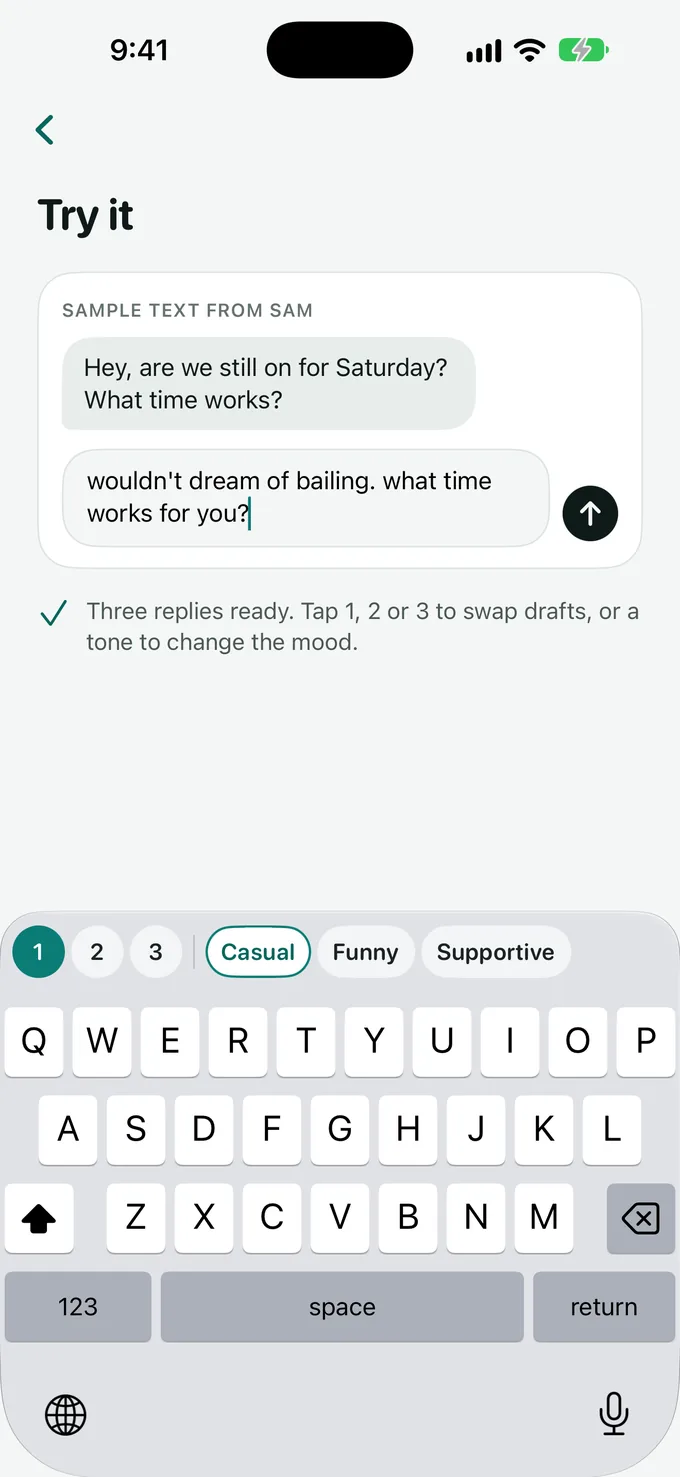
Press once, pick a draft, send. Ohhai reads the message you're answering, so you never leave the chat.
Use the Action Button, Back Tap or Control Center. A Shortcut screenshots the chat and reads the text right on your phone.
Three drafts land in the Ohhai keyboard, with the best one already typed. Swipe between them, or tap a tone picked to match the conversation.
Change a word if you like. Nothing sends until you tap Send.
Text from a friend
Dinner Friday? I'm thinking tacos.
I'm in. 7 at the usual spot?
Try the draft bar. Tap 1, 2 or 3 to swap drafts, or a tone to change the mood. Sample replies, shown here for illustration.
Tap the mic and say it the way it comes out. Ohhai types it cleaned up: fillers out, punctuation in.
What you said
um so yeah I can do like Thursday I guess, maybe after 3, does that work for you
What Ohhai typed
I can do Thursday, maybe after 3. Does that work for you?
One keyboard and one Shortcut. It works in any app you type in, so the same press answers a text, a DM, a work chat or an email.
Dictation everywhere you can type, plus a Reply hotkey that drafts an answer to the conversation in front of you.
Ohhai works out of the box. If you already pay for an AI, you can point Ohhai at it. Change it anytime in Settings.
Fastest, nothing to set up.
The Shortcut hands the message to the ChatGPT app on your phone, under your own account.
For people who already have an OpenAI or Anthropic key. It's stored in your iPhone's Keychain.
Privacy
The Shortcut takes a screenshot and the text is read on the device. The screenshot is never uploaded and never saved.
With Ohhai AI, only the text is sent, over HTTPS, to our server and on to Anthropic to write your drafts. It's handled in memory and not kept. Logs hold counts and timings, never the words.
What you type with the Ohhai keyboard stays on your phone. Full Access is there to show your drafts, change tone, use a copied message and run the mic.
Ohhai only types into the message field. You read it, change it if you like, and tap Send yourself.
No ads in Ohhai. No selling your data.
Read the privacy policyOne plan with everything: one-press replies, voice, tones and your choice of AI.
$59.99 a year
$5 a month. 7 days free.
$9.99 a month
7 days free.
How the trial works. You add a card to start the 7-day trial. Cancel anytime before it ends and you won't be charged. After that your plan renews until you cancel. Full details are in the terms.
Ohhai is coming soon to iPhone, with the Mac app to follow. Questions in the meantime? Write to support@ohhai.co.